《毁灭战士:黑暗时代/DOOM: The Dark Ages》voices38镜像-非虚拟机voices38|容量83.5GB|官方简体中文|支持键盘.鼠标.手柄
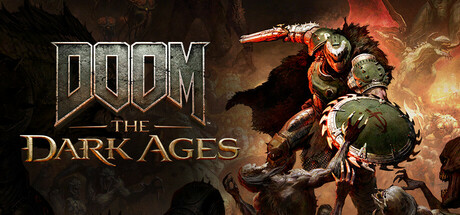
《DOOM: The Dark Ages》是大受好评的《DOOM》(2016) 及《DOOM Eternal》前传,描写毁灭战士之怒的壮阔电影级起源故事。玩家将化身为脚踏鲜血的毁灭战士,在这场前所未见、凶险万分的中世纪战争中对抗地狱大军。
最近评测:特别好评 (2,150)
全部评测:特别好评 (25,366)
发行日期:2025 年 5 月 14 日
最近评测:特别好评 (2,150)
全部评测:特别好评 (25,366)
发行日期:2025 年 5 月 14 日
评测
“A Masterclass of FPS Gameplay and Design”
Impulse Gamer
“id has once again proven...they don't miss”
IGN
“The Dark Ages is lightning in a bottle”
gamingbolt
关于此游戏
系统需求
最低配置:
- 操作系统: Windows 10 64-Bit / Windows 11 64-Bit
- 处理器: AMD Zen 2 or Intel 10th Generation CPU @3.2Ghz with 8 cores / 16 threads or better (examples: AMD Ryzen 7 3700X or better, or Intel Core i7 10700K or better)
- 内存: 16 GB RAM
- 显卡: NVIDIA or AMD hardware Raytracing-capable GPU with 8GB dedicated VRAM or better (examples: NVIDIA RTX 2060 SUPER or better, AMD RX 6600 or better)
- 存储空间: 需要 100 GB 可用空间
- 声卡: 基本音频设备
推荐配置:
- 操作系统: Windows 10 64-Bit / Windows 11 64-Bit
- 处理器: AMD Zen 2 or Intel 10th Generation CPU @3.2Ghz with 8 cores / 16 threads or better (examples: AMD Ryzen 7 3700X or better, or Intel Core i7 10700K or better)
- 内存: 16 GB RAM
- 显卡: NVIDIA or AMD hardware Raytracing-capable GPU with 8GB dedicated VRAM or better (examples: NVIDIA RTX 2060 SUPER or better, AMD RX 6600 or better)
- 存储空间: 需要 100 GB 可用空间
- 声卡: 基本音频设备
支持作者
Steam商城:https://store.steampowered.com/app/3017860/DOOM:_The Dark Ages/
备注说明
2026年3月14日更新为voices38非虚拟机版本 解压即玩
学习

小叽转整合地址
小叽转整合地址
小叽转整合地址